Glucose Glance
Your glucose, big and clear, right on your watch.
Made by a person with diabetes and low vision, for everyone who wants their numbers easy to read. Glucose Glance shows your CGM reading in large, high-contrast numbers on your Wear OS watch.
- Dexcom G6, G7 and ONE+
- Nightscout
- mg/dL or mmol/L
We are finishing a simple way to install it on your watch. Buying opens when that is ready.
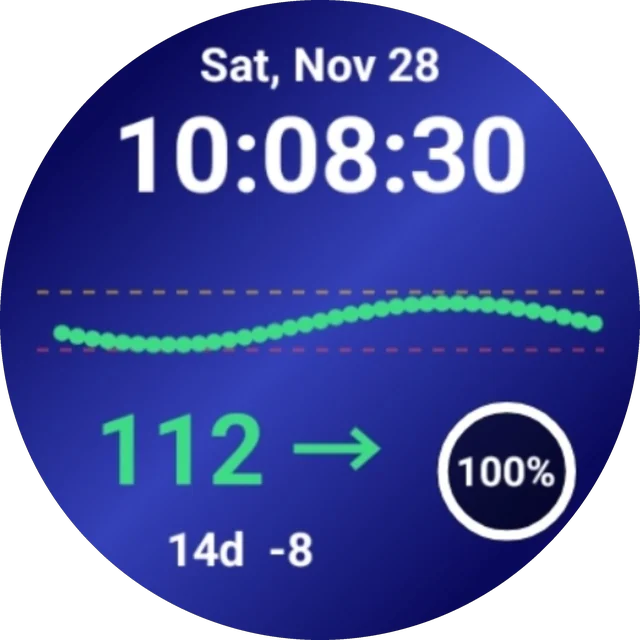
Real screenshot from the watch
Made to be easy to read
Everything is big, bright and clear, so you can check your glucose with one quick look.
- Big number, clear arrowYour reading is very large, with a trend arrow beside it.
- Colors and wordsGreen, yellow and red, plus the words "In range", "LOW" and "HIGH".
- Read aloudTap the number to hear your reading spoken.
- 3-hour dot chartSee where you have been, plus minutes since the last reading and the change, like +2 or -5.
- Your own watch faceFree with the app: 10 backgrounds, 8 text colors and 4 spots you can change.
- On any watch faceAdd your glucose to other watch faces that support complications, like many Samsung faces.
On your wrist
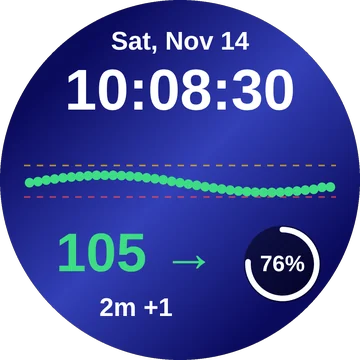
In range 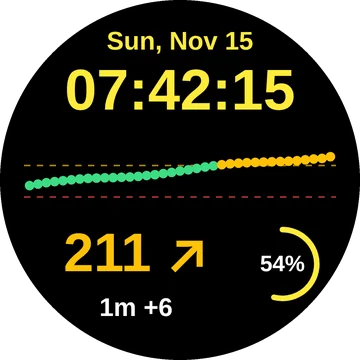
High 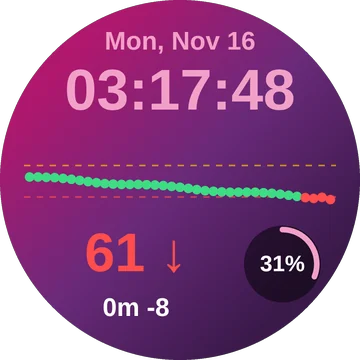
Low 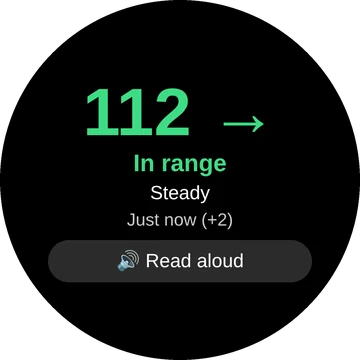
Read aloud 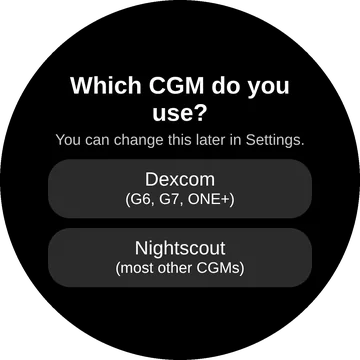
Easy setup
These preview images are drawn from the app's real design. The large watch at the top is a real screenshot.
What you need
Your glucose service
- Dexcom G6, G7 or ONE+ with Share turned on in your Dexcom app, and at least one follower invited.
- Your Dexcom login must be an email or username. Dexcom Share does not work if your username is a phone number.
- Or Nightscout: works with most other CGMs, such as Medtronic, Eversense, xDrip+, AndroidAPS and Loop. You need your site address, plus an access token if your site uses one.
Your watch
- A Wear OS 3 or newer watch, such as a Samsung Galaxy Watch.
- The Glucose Glance watch face needs Wear OS 4 or newer. On older watches you can still add your glucose to other watch faces.
- Your watch needs an internet connection (through your phone or Wi-Fi) to get new readings, about every 5 minutes.
- An Android phone to install the app on your watch.
- For the one-time setup, your phone and watch must be on the same Wi-Fi network.
How it works Coming soon
Glucose Glance is sold here, not in the Google Play Store. We are finishing a simple phone app that sends Glucose Glance to your watch for you, step by step, with pictures.
- Buy Glucose GlancePay $1.99 once, securely through Stripe.
- Get the installerDownload the Glucose Glance installer app on your Android phone.
- Let the installer do the workIt connects to your watch and installs Glucose Glance and the free watch face, showing you each step with pictures.
- Sign in on your watchOpen Glucose Glance, choose Dexcom or Nightscout, and sign in. Then pick the Glucose Glance watch face.
One price. Yours to keep.
- No subscription. No ads. No tracking.
- One purchase covers one person and all their own watches, including replacements.
- The Glucose Glance watch face is included free.
- Family members each need their own purchase.
Payments are handled securely by Stripe. We never see your card number.