ClearBG Watch
Your glucose, big and clear, right on your watch.
Made by a person with diabetes and low vision, for everyone who wants their numbers easy to read. ClearBG Watch shows your CGM reading in large, high-contrast numbers on your Wear OS watch.
- Dexcom G6, G7 and ONE+
- FreeStyle Libre (beta)
- Nightscout
- mg/dL or mmol/L
Optional donations help support ClearBG Watch. Learn more
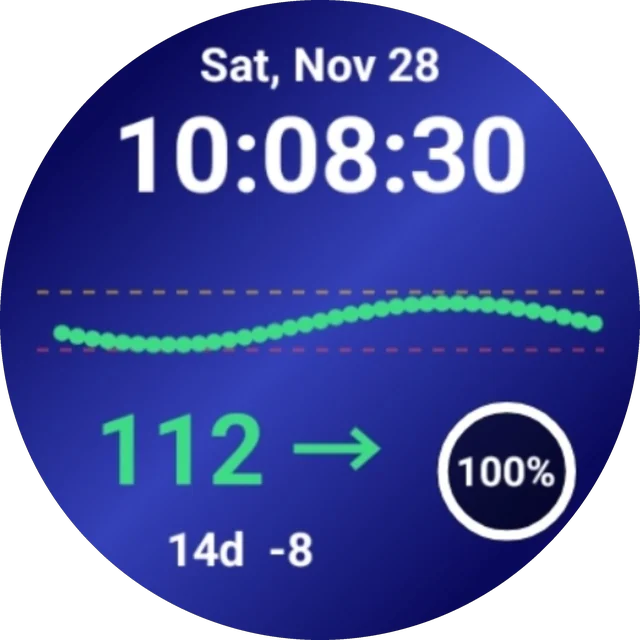
Real screenshot from the watch
Made to be easy to read
Everything is big, bright and clear, so you can check your glucose with one quick look.
- Big number, clear arrowYour reading is very large, with a trend arrow beside it.
- Colors and wordsGreen, yellow and red, plus the words "In range", "LOW" and "HIGH".
- Read aloudTap the number to hear your reading spoken.
- 3-hour dot chartSee where you have been, plus minutes since the last reading and the change, like +2 or -5.
- Your own watch faceFree with the app: 10 backgrounds, 8 text colors and 4 spots you can change.
- On any watch faceAdd your glucose to other watch faces that support complications, like many Samsung faces.
- ClearBG TileSwipe to the ClearBG Tile to see your glucose without changing watch faces.
- Your own limitsSet the low and high numbers that are right for you.
These are the starting limits. You can set your own low and high limits in the app.
On your wrist
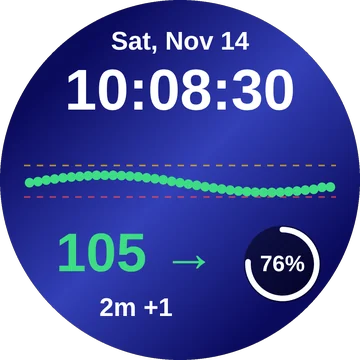
In range 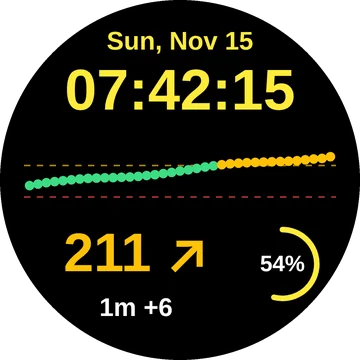
High 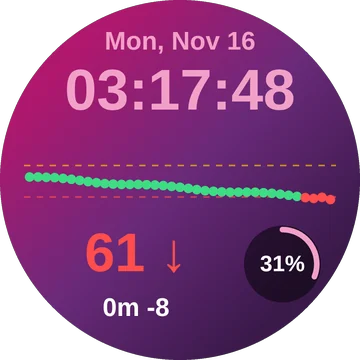
Low 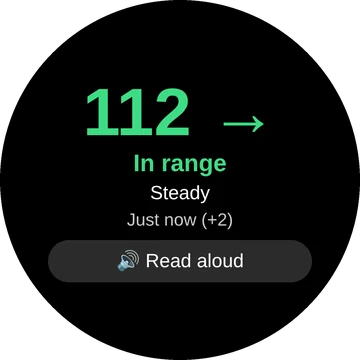
Read aloud 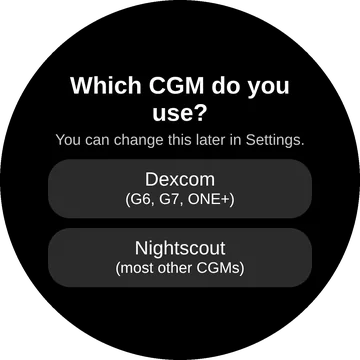
Easy setup
These preview images are drawn from the app's real design. The large watch at the top is a real screenshot.
What you need
Your glucose service
- Dexcom G6, G7 or ONE+ with Share turned on in your Dexcom app, and at least one follower invited. The follower can be a family member, or a second email address of your own.
- Your Dexcom login must be an email or username. Dexcom Share does not work if your username is a phone number.
- Or FreeStyle Libre (beta), through LibreLinkUp: sign in with a LibreLinkUp (follower) account that your Libre app shares with, not with your Libre app login. Libre support may not work in every country.
- Or Nightscout: works with most other CGMs, such as Medtronic, Eversense, xDrip+, AndroidAPS and Loop. You need your site address, plus an access token if your site uses one.
Your watch
- A Wear OS 3 or newer watch, such as a Samsung Galaxy Watch.
- The ClearBG Watch Face needs Wear OS 4 or newer. On older watches you can still add your glucose to other watch faces.
- Your watch needs an internet connection (through your phone or Wi-Fi) to get new readings, about every 5 minutes.
- An Android phone to install the app on your watch.
- For the one-time setup, your phone and watch must be on the same Wi-Fi network.
How it works
ClearBG Watch is free, and you get it here, not in the Google Play Store. Our simple phone app, the ClearBG Installer, sends ClearBG Watch to your watch for you, step by step, with pictures. The installer is open source: view its source code.
- Get the installerOn your Android phone, tap Download free and open the file. If asked, allow installing from this source.
- Let the installer do the workIt connects to your watch and installs ClearBG Watch and the free ClearBG Watch Face, showing you each step with pictures.
- Sign in on your watchOpen ClearBG on your watch, choose Dexcom or Nightscout, and sign in. Then pick the ClearBG Watch Face.
Why I made ClearBG Watch
Hi, I'm Patrick Lippy, the independent developer behind ClearBG Watch.
I live with diabetes, vision challenges and other disabilities. I originally made ClearBG Watch for myself, because I wanted an easier way to see my glucose on my smartwatch: big, clear and quick to read. Once it was working well for me, I wanted to share it with others who might find it helpful too.
Free, with optional support. ClearBG Watch is free, with no subscriptions, no ads and no tracking. If you would like to give something back, optional donations help support my family, my medical expenses, the cost of running this website, and the continued development of ClearBG Watch.
Thank you for taking the time to learn about ClearBG Watch. I hope it makes checking your glucose a little easier every day.
Patrick LippyLippy Robotics Labs
Get ClearBG Watch
- ClearBG Watch and the ClearBG Watch Face, free for everyone.
- No account, no ads, no tracking.
- Tap Download free on your Android phone.
- Open the file. If asked, allow installing from this source.
- Open ClearBG Installer and follow the steps with pictures.
Phone and watch on the same Wi-Fi. Keep Bluetooth on.
Need help? lippyroboticslabs@gmail.com
ClearBG Installer, version 1.1.2 (about 17 MB). Installer source code: github.com/Patevan9/ClearBG-Watch (GPL-3.0).
Details
SHA-256 file fingerprint, for checking that your download is exactly the file we published. You do not need this to install ClearBG Watch.
c40552f404bb4a99d1cbde742fdca7f4932d01f1ef07bff9663f0a8c1116e12a
Support ClearBG Watch
ClearBG Watch is free for everyone. If it helps you and you would like to give something back, you are welcome to make an optional donation of any amount. It is never expected.
- ClearBG Watch works fully without it. Nothing is locked or held back.
- Donating is separate from downloading, and it is never required.
- You will never be asked for a donation inside the app.
Donations help support my family, my medical expenses, the cost of running this website, and the continued development of ClearBG Watch. They are processed securely by Stripe and are not tax-deductible.
Feedback and ideas are a wonderful way to support ClearBG Watch, too: lippyroboticslabs@gmail.com